

Have you noticed your website visitor numbers dropping even though you are writing and publishing new content regularly?
It can be incredibly frustrating.
Many website owners assume that just adding more articles or sharing links will fix the problem. While those steps are good, they often ignore a critical secret: the internal health of the website itself. A website audit is like a routine health checkup from a doctor. It helps you uncover hidden bugs that quietly hide your pages from search engines.
Unfortunately, many creators perform these health checkups incorrectly—or skip them entirely. In this educational guide, you will discover 15 common website audit mistakes that could be costing you visitors, and exactly how to fix them using simple, everyday English.
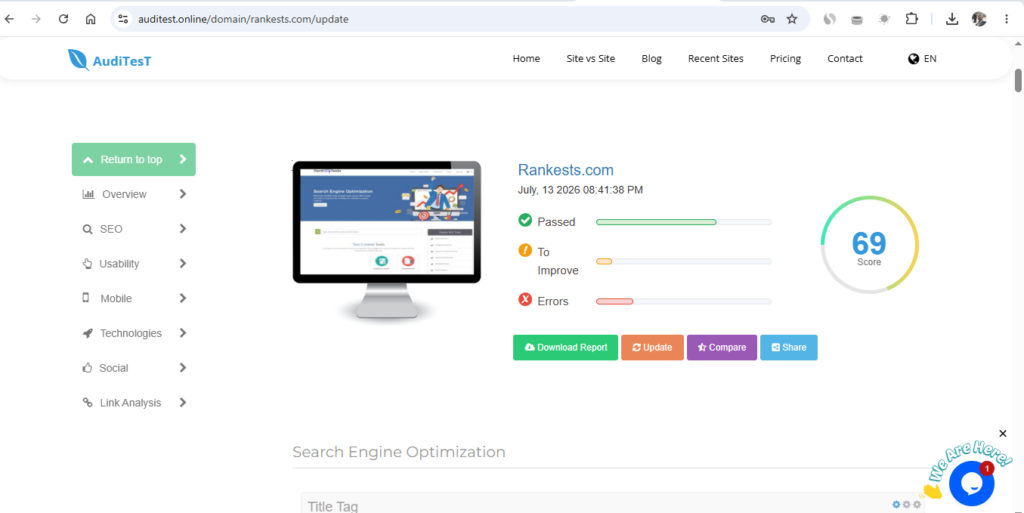
Why Regular Website Health Checks Matter
Websites are like growing trees. As you add new pages, change design themes, or upload files, your underlying code structure changes. Without a regular color tester or structural review, small code errors pile up.
A comprehensive, professional website checkup helps you spot:
- Technical dead ends that stop search robots.
- Heavy pages that make visitors wait.
- Hidden security gaps that trigger browser warning screens.
Fixing these issues creates a smooth, comfortable path for both human readers and search engine crawlers.
15 Audit Mistakes You Need to Wipe Away Today
1. Only Reviewing Your Homepage
Your homepage is like the front door of a school. It is important, but the actual lessons happen inside the classrooms. Many technical errors hide deep inside your old blog articles, category blocks, or product pages where you rarely look.
- The Correction: Make sure your evaluation covers every single corner of your domain.
2. Ignoring Crawl Errors
Google uses tiny digital robot helpers to explore your pages. If a robot hits a “404 Page Not Found” error, it gets trapped in a dead-end street.
- The Correction: Use a secure web utility dashboard to locate broken code paths and clear them out immediately.
3. Overlooking Broken Links
Imagine clicking a helpful link inside an article, only to be greeted by a blank error screen. This frustrates visitors and breaks their trust.
- The Correction: Walk through your older articles once a month to remove or replace broken web paths.
4. Forgetting Page Speed Limits
If a webpage takes more than three seconds to load on a smartphone, a visitor will get bored and close the tab.
[Clicking Link] ---> 1 Second (Happy) ---> 3 Seconds (Bored) ---> 5 Seconds (Leaves Website)
- The Correction: Always compress your digital photos to a small file size before uploading them to your server.
5. Not Testing Mobile Performance
The vast majority of internet users browse the web using mobile phones. If your text font looks tiny or your navigation menu overlaps on a small screen, your site layout is broken.
- The Correction: Choose a responsive design that automatically shrinks to fit any phone screen beautifully.
6. Duplicate or Missing Meta Titles
A title tag is the digital name tag of your webpage. If you leave it blank, or give ten different pages the exact same title, search engine robots will get deeply confused.
- The Correction: Write a short, custom, unique title for every single page on your site.
7. Leaving Images Blind (No Alt Text)
Search robots can read words, but they cannot see pictures. They look at a hidden label called “Alt Text” to learn what a photograph represents.
- The Correction: Avoid generic names like
image123.jpg. Change your image labels to natural descriptions, such as: “Web designer adjusting an rgb color picker wheel layout.”
8. Weak Internal Linking Paths
If your articles do not link to one another, they become lonely islands. Visitors will leave after reading just one page because they don’t know where to go next.
- The Correction: Whenever you write a new article, naturally link back to 3 or 4 older, relevant topics already on your blog.
Check this article: What is a Bad Backlink? How Spammy Links Can Hurt Your Google Ranking
Why Your Website Needs an SSL Certificate (Moving from HTTP to HTTPS)
9. Spreading Duplicate Content
Duplicate content happens when the exact same paragraphs appear across multiple web links. This confuses search engines because they do not know which link is the original master copy.
- The Correction: Keep your writing completely original. If two pages are too similar, merge them into one large, high-value educational resource.
10. Forgetting to Check Your Library Index Status
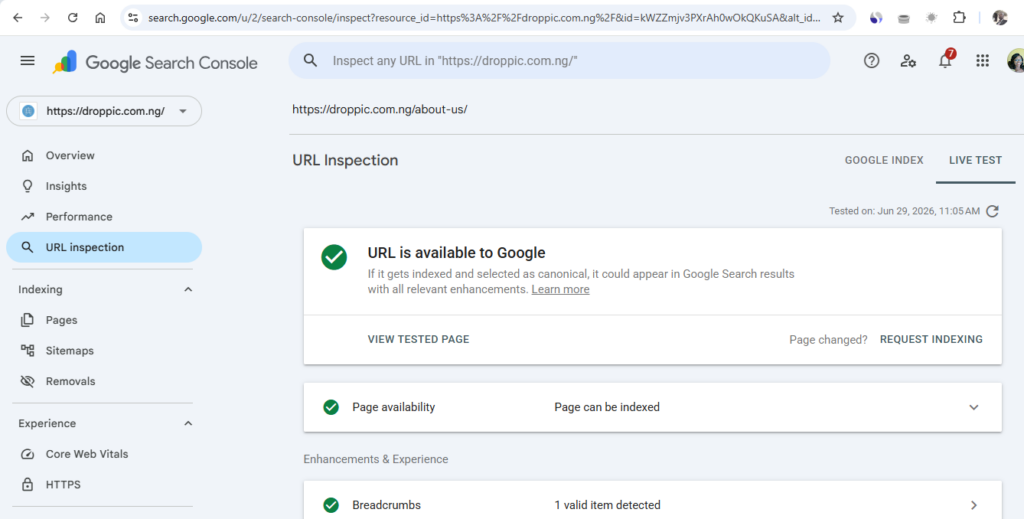
Just because you click “Publish” does not mean your page is automatically visible on Google. If the search engine has not written your page into its library index, it will never show up in search results.
- The Correction: Submit an XML sitemap to Google Search Console to tell the robots your page exists.
11. Ignoring Core Web Vitals
Core Web Vitals are mathematical scores that judge how fast and stable your page layout feels to a real human being. You should always aim for these recommended performance targets:
| Performance Metric | What It Measures | Ideal Target Score |
|---|---|---|
| Largest Contentful Paint (LCP) | How fast the main text loads | Under 2.5 seconds |
| Interaction to Next Paint (INP) | How fast a button responds | Under 200 milliseconds |
| Cumulative Layout Shift (CLS) | Do page blocks jump around? | Under 0.1 |
12. Accumulating Bad Redirect Chains
A redirect is a digital signpost that sends a user from an old link to a new link. However, if you point Link A to Link B, and Link B to Link C, you create a slow, looping chain.
- The Correction: Keep your signposts direct and simple so users reach their destination instantly.
13. Neglecting Basic Website Security
Visitors want to feel safe when exploring your content. If your site doesn’t have an active SSL certificate (the small padlock icon in the web address bar), modern web browsers will block your pages with a scary security alert.
- The Correction: Ensure your URL starts with secure
https://protocols and keep all system plugins up to date.
14. Leaving Old Content to Rot
The internet changes constantly. An article written two years ago might have outdated statistics, dead links, or obsolete recommendations.
- The Correction: Revisit your old resources regularly. Refresh the facts, add new examples, and update your outbound links to keep the content high-value.
15. Treating an Audit as a One-Time Task
The biggest mistake of all is thinking that one single checkup is enough forever. Every time you change a theme or post an article, a small technical error can accidentally pop up.
- The Correction: Turn website audits into a regular, stress-free habit to protect your long-term visibility.
Your Simple 4-Week Monthly Audit Routine
To make this easy to manage without getting overwhelmed, break your health check down into one small task each week:
- Week 1 (Technical Review): Check your indexing status and fix any 404 crawl errors.
- Week 2 (Performance Review): Test your loading speeds and compress any heavy images.
- Week 3 (Content Review): Read through older articles to update facts and clear duplicate sections.
- Week 4 (User Experience Review): Open your pages on a smartphone to test buttons and spot broken links.
Conclusion: Consistency Wins the Traffic Game
A sudden drop or stagnation in website traffic is rarely a mystery. More often than not, it is the natural result of hidden code errors, unoptimized images, or unhelpful layouts that drag your site down. By shifting your focus toward a regular, structured audit routine, you transform your platform into a safe, lightning-fast environment that search engines love to recommend. SEO success is built on small, consistent improvements that respect the reader’s time and experience.
Audit Your Site Layout Safely on Rankests Or Auditest
Don’t wait for your visitor count to drop to zero before taking action. Bring your web address over to our diagnostic canvas at Rankests ([https://rankests.com](https://auditest.online)). Use our free website optimization tools to analyze your technical health, calculate your image weights, and discover exactly how to lift your search performance today!
Read more related articles below: I Ran My Old Blog Posts Through an AI Rewriter — Here Is What Happened





I appreciate you good work, the tools are working properly and I love you content, is educational
I want to appreciate your efforts as you make this article, l love the post, I will come back to check on new educational content here.
Thank for your positive feedback