I made almost every mistake on this list.
Not all at once — but over the first two years of running my websites, I worked my way through nearly every one of them. Some cost me weeks of lost traffic. Some cost me months. A few I did not even realise I was making until I ran a proper audit and saw the damage clearly in the report.
The frustrating thing about SEO mistakes is that most of them are invisible. Your website looks fine. Your content reads well. But underneath the surface, small errors are quietly blocking Google from finding, reading, and ranking your pages the way they deserve.
This guide covers the 25 most common SEO mistakes I have seen — on my own websites and others I have helped fix. For each one, I will explain what the mistake is, why it hurts your rankings, and exactly what to do about it.
But before working through this list step by step, kindly run a free audit of your website at Rankests — rankests.com — to see which of these mistakes are currently affecting your site. The report identifies most of these issues automatically, so you know exactly where to focus first as we kick off the journey.
How I Improved My Website SEO Score From 47 to 84 in 3 Weeks
Here Are The Following Mistakes With Your Basic Setup
1 — Not Having HTTPS
A website running on HTTP instead of HTTPS is missing its SSL certificate. Google gives a direct ranking advantage to HTTPS websites, and Chrome shows a “Not Secure” warning to visitors on HTTP sites. Most visitors leave immediately when they see that warning. Install an SSL certificate — most hosting providers include one free — and make sure all your pages redirect from HTTP to HTTPS.
2 — Having Both WWW and Non-WWW Versions Accessible
If both www.yoursite.com and yoursite.com load separately without redirecting to a single version, Google sees them as two different websites with duplicate content. Pick one version as your primary address and redirect the other to it permanently.
3 — Not Submitting Your Sitemap to Google
Your XML sitemap is a map of every important page on your website. Without submitting it to Google Search Console, Google has to find your pages entirely by following links — a slower and less reliable process. Submit your sitemap to Google Search Console under the Sitemaps section. It takes five minutes and can dramatically speed up how quickly new content gets indexed.
4 — Blocking Google With Robots.txt
A single wrong line in your robots.txt file can block Google from crawling your entire website or specific important sections. Open your robots.txt file by typing your domain followed by /robots.txt and check it carefully. Make sure you are not accidentally disallowing pages you want Google to crawl.
5 — Not Connecting Google Search Console
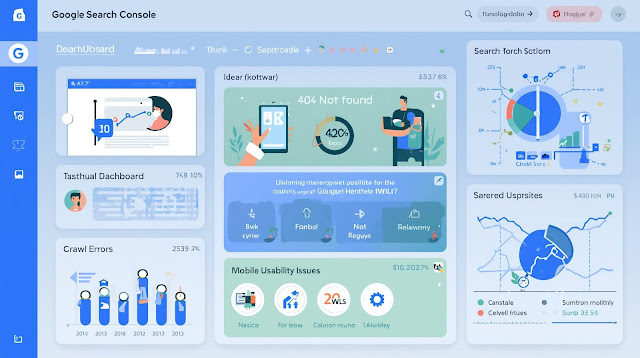
Google Search Console is free and gives you direct data from Google about how your website is performing — which pages are indexed, which have errors, which keywords bring traffic. Not connecting it means flying blind. Set it up, verify your website, and check it at least once a month.
A Website Having Mistakes With Your On-Page SEO

6 — Missing Title Tags
Every page on your website needs a unique title tag of 50 to 60 characters that includes the main keyword for that page. A missing title tag means Google writes one for you — usually poorly. A duplicate title tag across multiple pages confuses Google about which page to rank for a given keyword. Check every page and write a clear, specific title tag for each one.
7 — Missing Meta Descriptions
A missing meta description means Google pulls random text from your page to display in search results. That random text rarely convinces anyone to click. Write a unique meta description of 150 to 160 characters for every page — one that clearly explains what the page offers and gives a reason to click.
8 — Keyword Stuffing
Repeating your keyword unnaturally throughout your content — “buy cheap shoes, best cheap shoes, where to buy cheap shoes” — is called keyword stuffing. Google penalises it. Write naturally for human readers. Use your main keyword in your title, your first paragraph, a subheading or two, and naturally throughout the text. Do not force it in every other sentence.
9 — Ignoring Image Alt Text
Google cannot see images the way humans do. Alt text is the description that tells Google what each image shows. Every image on your website should have descriptive alt text. Missing alt text means your images contribute nothing to your SEO and you miss out on image search traffic entirely.
10 — Using Multiple H1 Tags on One Page
Your H1 tag is the main title of a page. Each page should have exactly one H1. Multiple H1 tags on the same page send conflicting signals to Google about what the page is primarily about. Use one H1 for your main title and H2 and H3 tags for subheadings throughout the content.
11 — Writing Thin Content
Pages with very little content — under 300 words — give Google almost nothing to work with when deciding how to rank them. Thin content is one of the most common reasons for low SEO scores and poor rankings. Expand your important pages with genuinely useful information that answers the questions your visitors are actually asking.
12 — Targeting Keywords That Are Too Competitive
A brand new website trying to rank for “best SEO tools” is competing directly against Ahrefs, Semrush, and Moz — websites with millions of backlinks and years of authority. You will not win. Target longer, more specific keywords with lower competition that still have real search volume. As your website grows in authority, you can gradually target more competitive terms.
Use the free Keyword Density Checker on Rankests — rankests.com — to analyse how your content is currently using keywords and identify opportunities to improve.
Mistakes With Your Technical SEO Issues

13 — Slow Page Speed
Every second your page takes to load costs you visitors and ranking positions. A page that takes more than three seconds to load loses more than half its potential visitors before they see a single word of content. Run the free speed checker on Rankests — rankests.com — to identify exactly what is slowing your pages down and fix the biggest causes first.
14 — Not Being Mobile Friendly
Google uses mobile-first indexing — it ranks your website based on how the mobile version performs, not the desktop version. A website that looks great on a laptop but breaks on a phone will rank lower than a mobile-optimised competitor with similar content. Test your website on a real smartphone and fix every usability issue you find.
15 — Broken Internal Links
Every broken link on your website is a dead end for both visitors and Google’s crawlers. Broken internal links waste crawl budget, frustrate visitors, and signal to Google that your website is not being properly maintained. Run the free Broken Link Finder on Rankests — rankests.com — to find and fix every broken link across your site.
16 — Redirect Chains
A redirect chain happens when a URL redirects to another URL that redirects to another URL before reaching the final page. Each extra hop slows Google down and wastes crawl budget. Update all redirects to go directly from the old URL to the correct final destination in one single step.
17 — Duplicate Content Across Pages
If the same or very similar content appears on multiple pages of your website, Google struggles to decide which version to rank and often ranks neither well. Use canonical tags to tell Google which version of each page is the main one. Avoid copying the same block of text across multiple pages — rewrite it uniquely for each page context.
18 — No Schema Markup
Schema markup is structured code that gives Google extra information about your website — your organisation details, your articles, your tools, your reviews. Most small websites have no schema markup at all. Adding basic schema to your homepage and articles helps Google display your content more prominently in search results and can improve click-through rates.
19 — Ignoring Core Web Vitals
Core Web Vitals are Google’s real user experience measurements — Largest Contentful Paint, Interaction to Next Paint, and Cumulative Layout Shift. Poor scores in these measurements directly affect your rankings. Check your Core Web Vitals in Google Search Console and fix every page showing Poor or Needs Improvement ratings.
20 — Not Fixing Google Search Console Errors
Google Search Console shows you exactly what errors are preventing your pages from being indexed and ranked properly. Ignoring these errors means ignoring direct communication from Google about what is wrong with your website. Log in to Search Console at least once a month and work through every error it flags.
Mistakes With Your Content Strategy
21 — Publishing Content Without a Clear Keyword Focus
Every piece of content you publish should target a specific keyword or question that real people are searching for. Publishing content without keyword research is like opening a shop with no sign — people cannot find you even if they are looking for exactly what you offer. Research your keywords before writing and build each piece of content around one clear primary keyword.
22 — Never Updating Old Content
Old content that was accurate two years ago may be outdated today. Google prefers fresh, current content — especially for topics where information changes over time. Go back through your older articles regularly and update statistics, links, and information to keep them accurate and current. Updated content often sees a meaningful boost in rankings without requiring entirely new articles.
23 — Ignoring Internal Linking
Every page you publish should link to at least one or two other relevant pages on your website. Internal links help visitors navigate deeper into your content, help Google understand how your pages relate to each other, and pass authority from your stronger pages to your newer ones. A page with no internal links pointing to it may never be discovered by Google at all.
24 — Writing Only for Search Engines
Content that is stuffed with keywords, structured only for ranking, and reads unnaturally to a human visitor will perform poorly — both in rankings and in conversions. Google’s algorithms have become very good at identifying content written for people versus content written for bots. Write naturally for your human reader first. Good content that genuinely helps people is exactly what Google wants to rank.
25 — Giving Up Too Early
This is the most common and most damaging SEO mistake of all. SEO takes time. A new piece of content typically takes three to six months to reach its full ranking potential. Many website owners publish content, see no results after four weeks, and conclude that SEO does not work. Then they stop. The websites that win in search are the ones that publish consistently, fix issues consistently, and give their efforts enough time to compound into real results.
How to Find Which Mistakes Your Website Is Making Right Now
You do not need to check all 25 of these manually. Start with a free automated all-in-one SEO tool that can help you identify them.
Go to Rankests — rankests.com — enter your website address and run the audit. The report checks your website against the technical and on-page factors covered in this list and returns a clear breakdown of every issue found — organised by impact so you know exactly where to start.
Fix the highest-impact issues first. Run the audit again after fixing them. Repeat monthly.
Each mistake you fix removes one more barrier between your content and the people searching for it. Work through this list consistently, and your rankings will improve — not overnight, but steadily and sustainably over time.
The Final Points
Most websites are not failing in search because of bad content or the wrong keywords. They are failing because of fixable technical and on-page mistakes that are quietly blocking everything else from working.
You now know what all 25 of those mistakes look like and exactly what to do about each one.
Start your free SEO audit right now at rankests.com. Find out which of these mistakes is currently hurting your website. Fix them one by one. And give your content the clean, healthy foundation it needs to rank the way it deserves.
Check out more articles below:
The Free Technical SEO Audit Checklist for 2026
About the Author
Kester Terna is an SEO specialist and founder of Rankests, where he helps website owners identify technical SEO issues, improve search visibility, and grow organic traffic.